


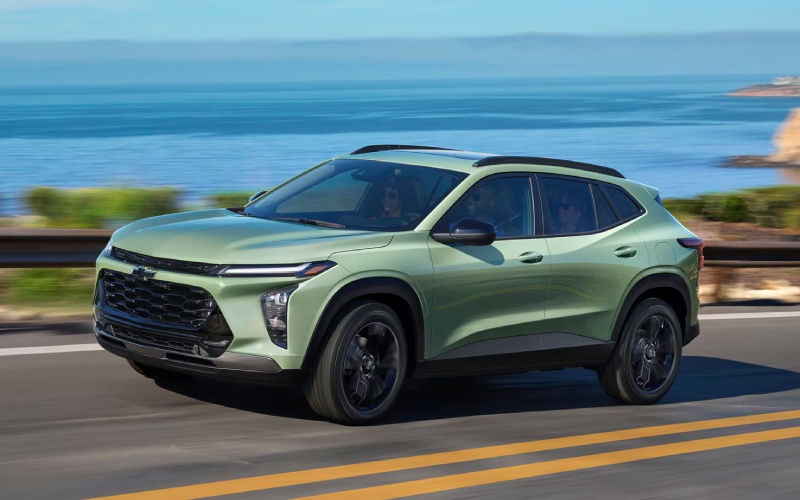
Allen Chevrolet Cadillac of Monroe - Wireless CarPlay® on the 2026 Chevrolet Trax Makes Toledo, OH Drives Effortless
If you’ve ever juggled cords, apps, and a navigation destination at the same time, the 2026 Chevrolet Trax feels like a breath of fresh air. Standard wireless Apple CarPlay® and wireless Android Auto™ take the clutter out of your daily routine, especially on busy Toledo, OH commutes along I-475 or the Anthony Wayne Trail. From quick voice commands to smooth turn-by-turn directions, the Trax keeps your attention where it belongs—on the road—while your digital life comes along for the ride. Pair that with the available 11-inch center HD touch-screen, and you get a crisp, responsive interface that’s easy to glance at and even easier to learn, whether you’re switching playlists near downtown or navigating to a Mud Hens game.
Chevy Safety Assist is standard, underscoring how technology is supposed to work together. While you take calls using Siri or Google Assistant, the Trax is quietly helping with Forward Collision Alert, Automatic Emergency Braking, Front Pedestrian Braking, Lane Keep Assist with Lane Departure Warning, Following Distance Indicator, and IntelliBeam® High Beam Assist. It all adds up to a confident drive that feels modern without feeling complicated, a balance that shines whether you’re hopping between University of Toledo classes, heading out to Oak Openings, or meeting friends for dinner in the Warehouse District.
Why Wireless Matters Daily
Going wireless is less about the cable you toss in the glovebox and more about simplifying the moments you spend behind the wheel. The 2026 Trax wakes up ready to connect—no plugging in, no fiddling. Your phone’s icons appear right on the display, your preferred mapping app launches in seconds, and your favorite podcasts pick up where you left off. If a passenger wants to DJ from the second row, it’s a quick switch. Add the available built-in Wi-Fi® hotspot, and you have a small SUV that keeps everyone connected, from work calls to backseat streaming on longer drives over to Maumee Bay State Park.
Quick Setup: First-Time Pairing
- Start the Trax: Make sure the vehicle is in Park and the infotainment system is on.
- Open your phone’s settings: Enable Bluetooth and Wi-Fi to allow wireless projection.
- Select “Phone” on the Trax screen: Choose “Connect Phone” and follow prompts.
- Confirm pairing code: Verify the same code appears on your phone and the Trax display.
- Allow permissions: Approve contacts, messages, and CarPlay® or Android Auto™ access if prompted.
- Set as default: Choose to enable wireless projection automatically for future drives.
Once paired, the process becomes nearly invisible. You start the Trax, and your apps appear. The steering wheel controls and voice activation keep your hands light on the wheel, while the interface keeps your eyes quick on the road. That’s smart safety and seamless tech working hand in hand.
Voice Control Tips You’ll Actually Use
- Call hands-free: Say “Call Mom” or “Dial Kelly at Work” to keep conversations easy and eyes forward.
- Navigate faster: “Get directions to Huntington Center” pulls up step-by-step guidance instantly.
- Queue music quickly: “Play Discover Weekly on Spotify” switches playlists without scrolling.
- Message safely: “Text I’m five minutes out” sends a quick status using voice-to-text.
- Calendar check: “What’s my next appointment?” helps you plan your next stop.
Little efficiencies like this add up over a week of commuting or errands. The less time spent tapping screens, the more your drive feels composed and calm.
Trim Differences That Influence Your Tech Feel
Every Trax includes wireless smartphone integration, but the way the interface looks and feels can change with trim. The LT, for example, features an 11-inch diagonal color touch-screen and an 8-inch color Driver Information Center that frames your maps and media beautifully. RS and ACTIV dial up distinct personalities—RS with bold exterior details and red interior accents, ACTIV with Titanium chrome accents and blackout wheels—while still keeping your must-have tech at your fingertips. No matter which route you take, the infotainment experience comes together intuitively, so you spend less time learning menus and more time enjoying the ride.
For commuters who care about cabin calm as much as connectivity, the Trax’s quiet-tuned interior with Active Noise Cancellation makes your calls clearer and your music cleaner. And with LED headlights standard and IntelliBeam® available to help in low-visibility conditions, you get confidence layered into the tech you use every day.
Frequently Asked Questions:
Do I need a cable to use Apple CarPlay® or Android Auto™ in the 2026 Trax?
No. Wireless Apple CarPlay® and wireless Android Auto™ are standard, so you can project your apps without a cable after initial pairing.
Does wireless projection drain my phone battery quickly?
Wireless projection uses battery power, but the Trax offers available wireless charging so you can top off without cords.
Can passengers connect to the Trax Wi-Fi® hotspot while I’m using CarPlay®?
Yes. The available built-in Wi-Fi® hotspot and wireless smartphone projection can operate together, keeping everyone connected.
Which trims offer the 11-inch display?
The 11-inch center HD touch-screen is available on select trims, including LT. Visit a product specialist to confirm current configurations.
Is voice control reliable for texting and navigation?
Yes. Siri and Google Assistant handle common commands well, and practice helps you fine-tune phrasing for even faster responses.
When you are ready to try it for yourself, schedule a drive and bring your phone so you can pair up on the spot. You will see how quickly the Trax learns your habits and how naturally voice, maps, and media come together. That’s the everyday advantage of smart tech done right—no drama, no cords, just a cleaner drive through your favorite Toledo, OH routes.
If you want a walkthrough or have specific compatibility questions, our team can tailor a quick demo to your device and preferred apps. We will also help you compare trims and features that influence your interface, like the available 11-inch screen or wireless charging. Allen Chevrolet Cadillac of Monroe is proud to offer a simple, hands-on approach—serving Toledo, OH, Woodhaven, and Taylor, MI—to help you zero in on the Trax configuration that fits your life.